Start authenticator setup
Open Account security and find Two-factor authentication. Enter your current password and choose Set up authenticator.
Scan the displayed QR code with a time-based authenticator app. If needed, use the manual setup key shown in the interface. Keep that key private.
Save and confirm
Download or copy the recovery codes to a secure place outside this account. Each code can be used once. Confirm that you have saved them.
Enter the current six-digit authenticator code and choose Confirm and enable. Setup is active only after a valid code is confirmed. Other sessions are signed out when the change completes.
Manage or recover access
Security settings let you replace recovery codes or disable the authenticator after the required password and second-factor confirmation. Replacing codes invalidates the previous set.
Brenwy currently documents authenticator codes and backup recovery codes. Do not assume passkey, hardware-key or SMS sign-in is available. If a code fails, check your device’s automatic time settings and try a fresh code.
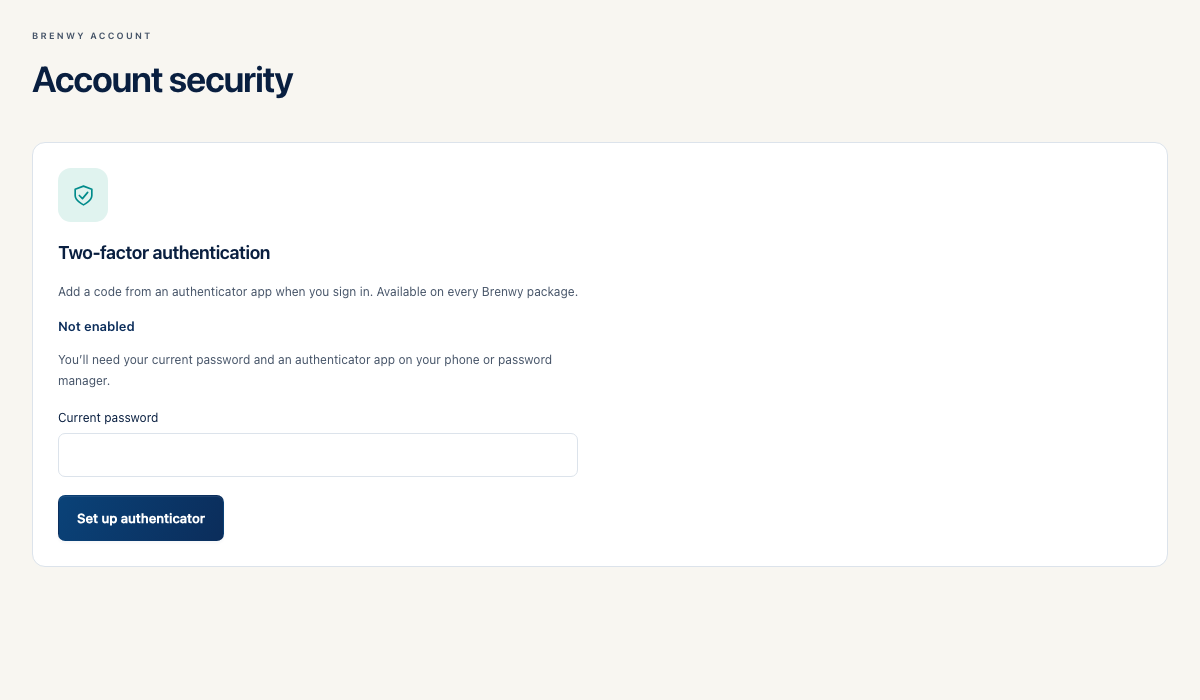 Enlarge screenshot